vCard Usage Tips
Updated October 22, 2026
Good marketing puts your name and contact details into as many hands as possible, as easily as possible. Adding your vCard to your emails and your website does exactly that.
Adding a vCard to your emails
You can add a vCard to an email as an attachment, or as a link in your email signature that points to your card on vcrd.co. The link is better: attachments make emails bigger and can trip spam filters, and a link always shows your latest details.
To add a vCard link to your signature:
- Sign up or log in.
- Create a card with New vCard on the My vCards page.
- Open the card and choose Share.
- Copy the web link and paste it into your email program's signature settings.
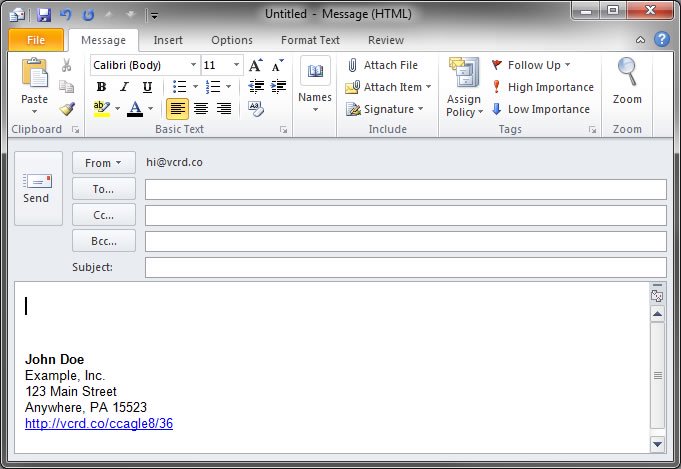
For example:
John Doe
Example, Inc.
123 Main Street
Anywhere, PA 15523
https://vcrd.co/ccagle8/36
Once it's set up, it looks like this:
More ways to use it
Once you've seen what your vCard can do, you'll find uses you hadn't thought of:
- Add the link to your email signature.
- Use it in real estate listings and signs.
- Use it as the website on your social profiles.
- Use it as the contact page on your website.
- Print it as the website on your paper business card.
- Put its QR code on your website.
- Add it to your LinkedIn profile.
- Use it for your company's support contact details.
- Add it to your résumé.
- Download the
.vcfand attach it to emails. - Put it in your auto-reply emails.
- Send it to friends and family when you move.
- Print the QR code on the back of your business card.